
Electrical design
The platform automatically calculates the connections between modules and inverters to maximize performance and optimize the number of devices, taking the following parameters into account:
- Inverters:
- Number of MPPTs and number of inputs per MPPT.
- Operating voltage range, maximum input voltage, and maximum output power.
- System design:
- Module orientation (avoiding combining different orientations on the same MPPT).
- Maximum DC/AC ratio configured in the project.
- Environmental conditions:
- Historical minimum temperatures at the location (to determine the maximum number of modules connected in series).
Automatic inverter assignment is ideal for residential or simple installations. However, for larger projects, you can use electrical sectors.
Electrical sectors
An electrical sector lets you define a group of modules that will be connected to one or more inverters independently of the other modules in the system.
In the Editor, use the Electrical design action (W on the keyboard) to select one or more planes and create an electrical sector from them:
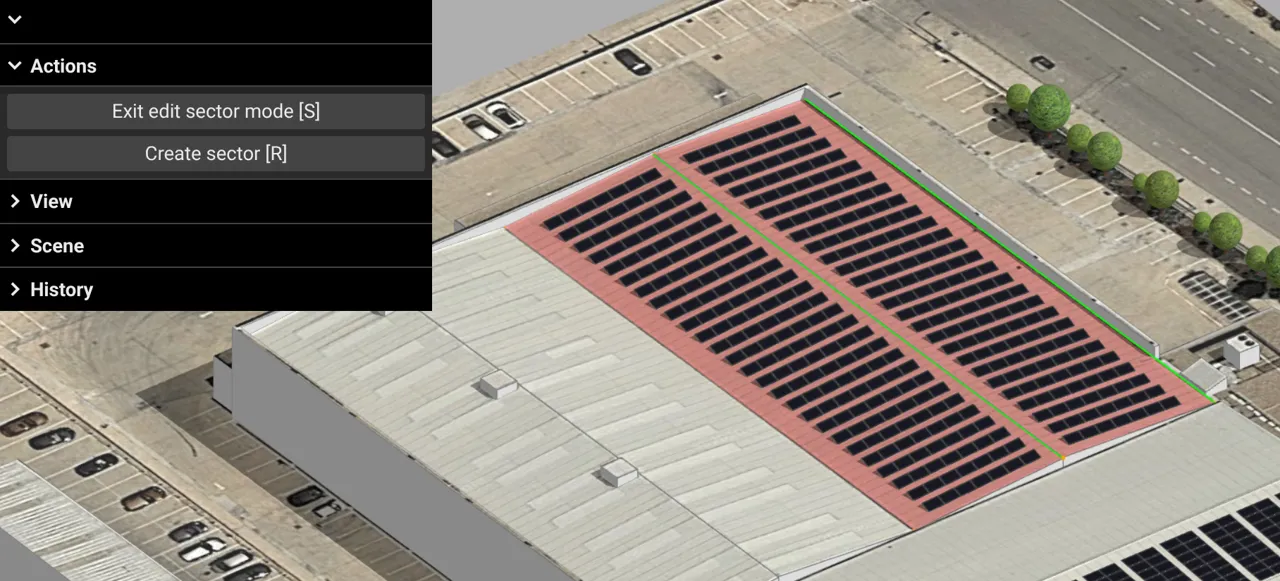
Press R or click Create sector to assign the selected planes to an independent electrical sector.
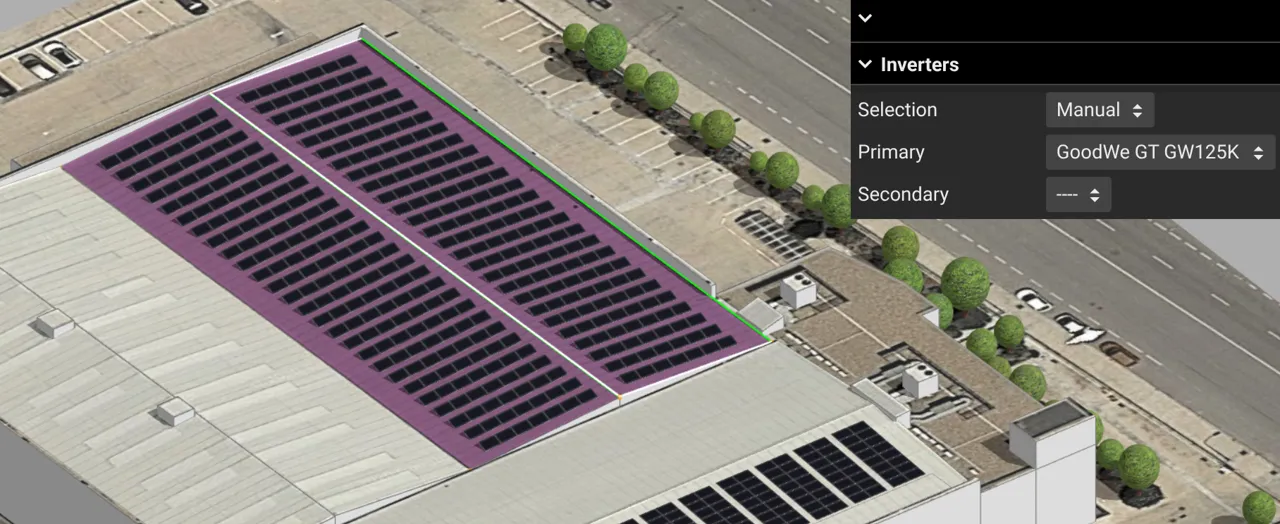
For each sector, you can choose automatic or manual inverter selection. With manual selection, you can choose the models you want from those available in the Details section:
INFO
The primary inverter is usually the one with the highest power rating. The secondary inverter lets you use the remaining surplus DC power with a smaller device, avoiding underutilization of a primary inverter.